
Dear reader,
Discussions about private email providers center on two providers: Proton and Tuta. During the last five years that I used Proton Mail, I accepted the premise. However, Proton’s limitations on the free plan, the focus on AI and crypto, and the regular controversies had frustrated me enough that I began exploring alternatives.
My extensive use of Proton’s ecosystem had also made me question the feasibility of moving elsewhere if needed. In the end, I knew I had to diversify my digital life, and email was the first item on my list. Before coming across my current pick, I considered alternatives.
Mailbox
Mailbox Mail is one of those email providers I have seen people recommend, but that I hadn’t tried out before. My first impression left a lot to be desired.
When I was setting up third-party clients, Mailbox’s support documentation made my introduction to the topic a challenge. Together with the complex layout, finding things was tiring.
While Mailbox offers a 30-day trial, I couldn’t receive or send emails. How was I supposed to test the service? When I tried to subscribe to the standard monthly plan, the payment view forced me to accept the yearly plan. Since I couldn’t find a way around this, my testing period with Mailbox was short-lived. The modern inbox design was the only positive aspect of my experience.
Since using the web client is optional with Mailbox, I could just use those third-party clients and get my payment issues sorted out with support. But after browsing Mailbox’s subreddit, I was eager to move to the next service on my list.
Tuta
Tuta was an obvious contender for replacing Proton, but the thing is, I have tried it multiple times before without success. I just don’t enjoy using it. Tuta’s non-native mobile apps play a big role in my discomfort. Proton has an advantage with its new mobile apps that feel great to use.
While Tuta’s Revolutionary plan of 3 euros per month is cheaper than Proton’s Mail Plus plan that costs 3.99 euros, I didn’t want to pay that much for an email service.
Tuta was running a 50 percent promotion for both of their paid plans when I was considering switching, but those prices didn’t show up on my client. I couldn’t ask Tuta about this since they don’t provide support for free users. In the end, being forced to accept the regular pricing helped me to understand that I wasn’t content with it, and that allowed me to continue exploring my options.
Others
I didn’t consider StartMail or Fastmail because of their pricing and the lack of support for encrypting the email inbox. Fastmail is also an Australian company, and I wanted to find a provider based in Europe.
Discovering Posteo
After ruling out these options, I remembered that another privacy-focused and open-source provider named Posteo exists. After doing research and browsing their website, I knew this Germany-based email provider was exactly what I’m looking for. Besides mail, I opted to use Posteo’s calendar and contacts, and sync everything via Apple’s own clients.
Anonymous sign-up and affordable pricing
Setting up the account didn’t require personal information, and you can pay with cash. Posteo’s payment system separates payment information from user accounts, which is something that neither Proton nor Tuta does.
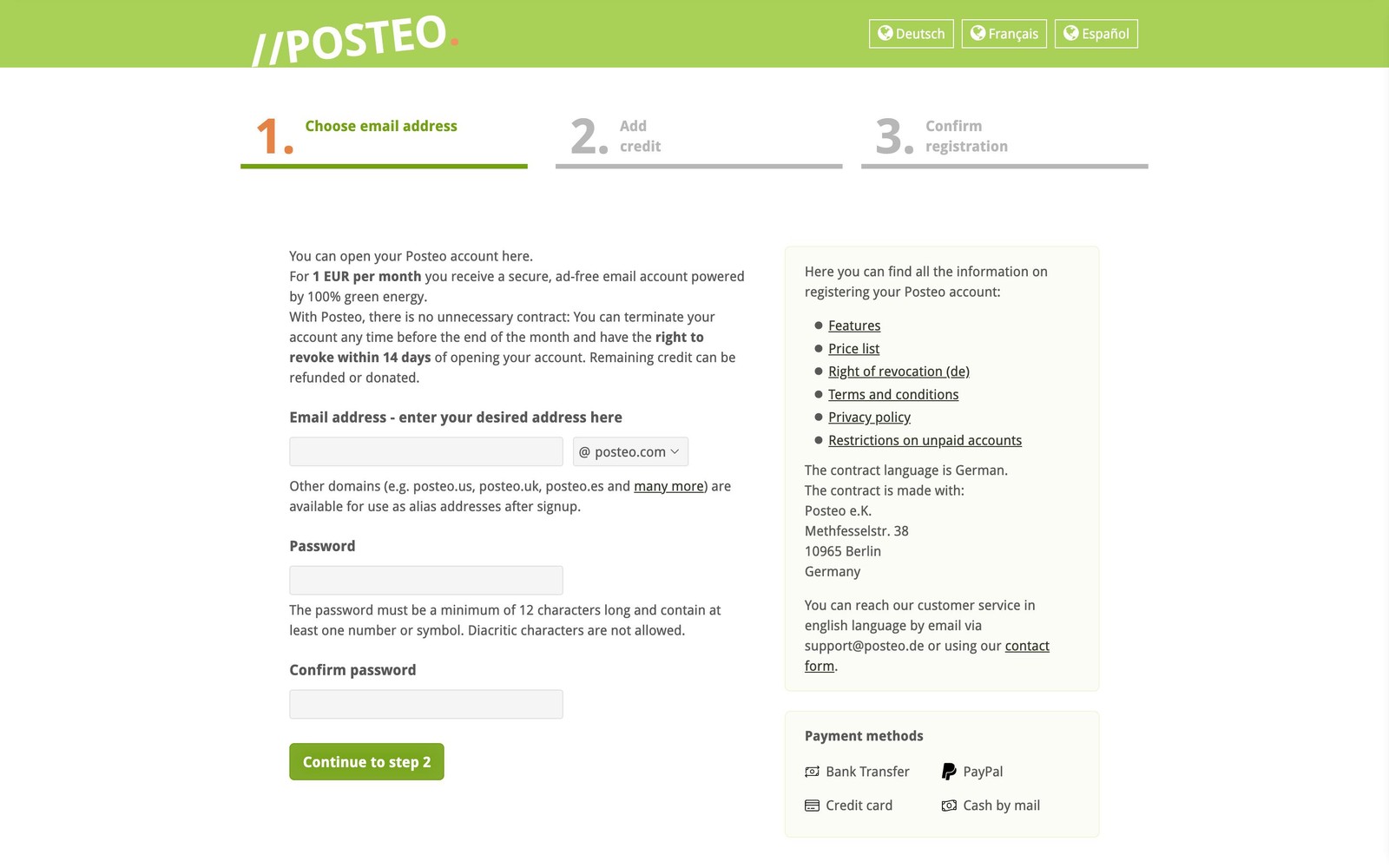
I’m a fan of Posteo’s pricing, where a single plan that costs 1 euro per month covers everything. The user gets 4 GB of storage, 3 email aliases, and 3 calendars that are all upgradable. For example, an extra 1 GB of storage costs 0.25 euros and an alias 0.10 euros per month.
A deposit of at least 12 euros is required, but the payments are monthly. At any point, you can request that Posteo either refunds or donates the remaining amount on your account. Posteo doesn’t delete accounts without credit left, but after 10 weeks you would lose the ability to send emails.
Excellent support documentation and privacy policy
Posteo’s support documentation is extensive and easy to follow. The privacy policy is excellent and leaves Proton and Tuta playing catch-up. As an example of Posteo’s commitment to users’ privacy, it doesn’t log IP addresses.
Sustainability
Sustainability is one of the key values for Posteo besides privacy, and it makes them stand out from the competition. It’s also a topic close to my heart, so I was pleased to read about Posteo’s efforts in the area.
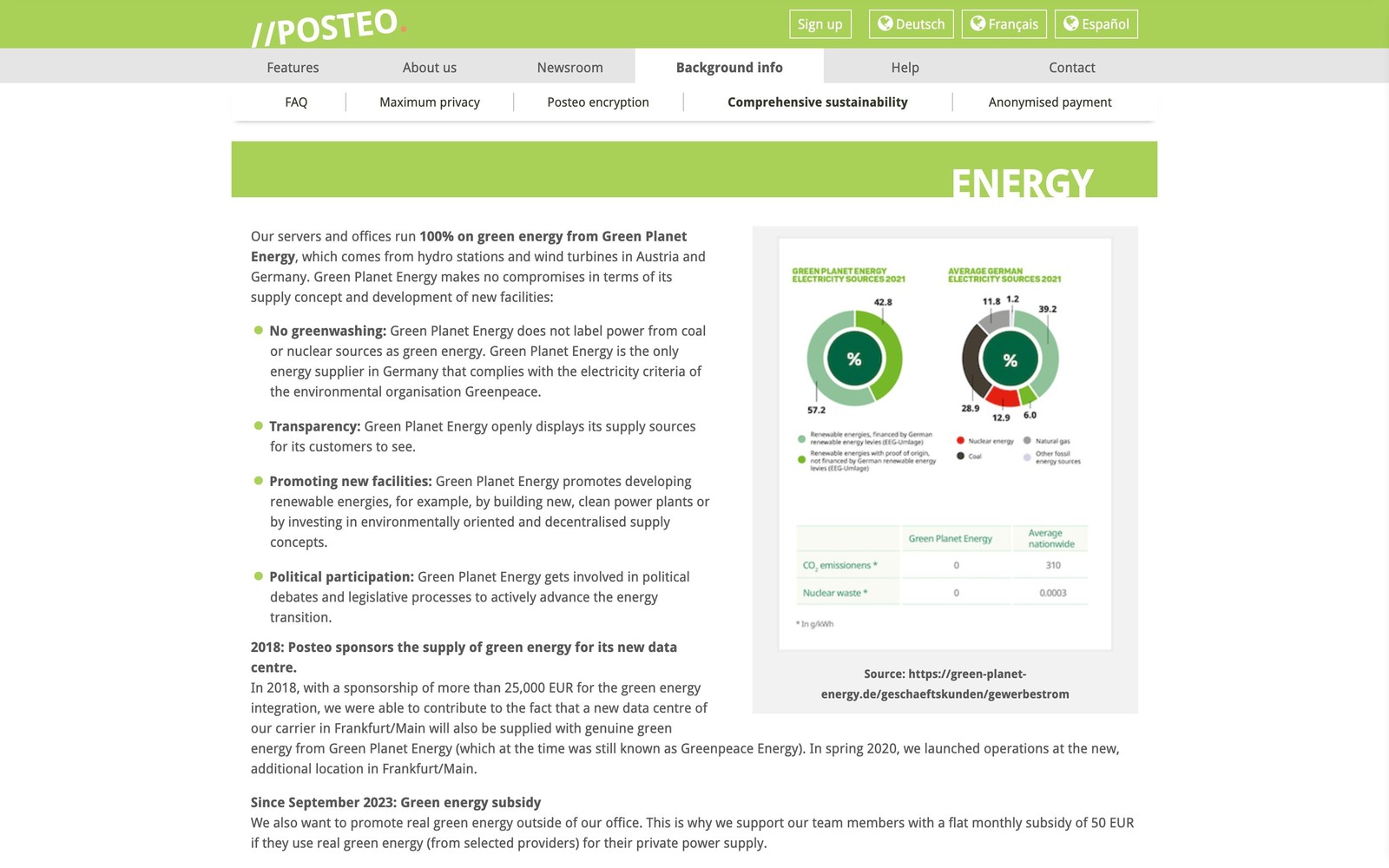
In comparison to Proton, there is no contest, since Proton doesn’t discuss sustainability. While Tuta is another provider that likes to talk about its sustainability efforts, Posteo’s approach is more comprehensive. We’re not only talking about 100 percent green energy. I encourage you to read the whole sustainability page because I can’t mention everything in this article, but here are a few examples.
Posteo doesn’t do business flights, and offers its employees a public transportation ticket for local trips. If a person prefers to cycle to work, Posteo has them covered with free bicycle repairs. Posteo encourages its employees to adopt green energy in their homes with a monthly subsidy of 50 euros. At their office, Posteo offers a complimentary vegetarian lunch prepared by their own chef. In terms of finances, Posteo uses eco-friendly GLS Bank and Umweltbank, and doesn’t have debts, loans, or investors.
Posteo also donates regularly to organizations such as Reporters Without Borders and UNICEF. Since its founding in 2009, Posteo has donated 584,950 euros, and in 2025 the number was 77,500 euros.
Transparency
Transparency is another strength, as Posteo publishes a yearly transparency report. Unlike Proton, which people have criticized for not challenging enough data requests, Posteo’s stats paint a picture of a company that tries to minimize the data it can hand over. While Proton is a bigger company, it doesn’t explain the reason it’s complying at a much higher rate than Posteo or Tuta. My guess is that Proton lacks the resources to challenge all the relevant requests, as there are too many of them. It’s easier to comply.
Encryption
By enabling Posteo’s crypto mail storage, all stored and arriving emails get encrypted, which prevents Posteo from reading them. This encrypts the subject field similarly to Tuta, and you can continue using any third-party client. You can achieve the same with calendar and contacts, unlike with Mailbox.
Inbound encryption is a feature that Posteo offers with its browser extension. It uses OpenPGP and allows sending and receiving end-to-end encrypted emails. While the feature is nice to have, I’m not planning to use it as I don’t use email for sensitive communication. I still want that my email inbox remains encrypted, which I can achieve with crypto mail storage without usability sacrifices.
TOTP for 2FA
Using TOTP for 2FA in 2026 isn’t ideal for any email provider. While Posteo supports passkeys, which includes security keys, they don’t function as 2FA in Posteo. Since my YubiKeys support TOTP, I have opted to use them for this purpose to limit the attack surface.
No custom domains
Posteo doesn’t support custom domains for privacy reasons, as that would require collecting and potentially sharing user information it doesn’t want to do. I’m fine with this. While I have a custom domain for my blog, I don’t have one for personal use. Since I use email aliases, I don’t see the point. When I moved from Proton to Posteo, all I had to do was to create a mailbox in Proton Pass and configure the aliases to redirect my emails to my Posteo inbox. This took 1 minute. Things would be different if I shared my email address with everyone, in which case getting a custom domain would make sense.
My setup makes me reliant on SimpleLogin, but since its (and Proton’s) policy is to let you keep your aliases if you stop paying, I’m not too concerned. Since SimpleLogin supports custom domains, I could use my domain when creating aliases. This would solve this issue, but decrease my privacy.
Dated design and lack of mobile apps
The webmail’s user interface feels a bit dated, which is one of the reasons I prefer to use Apple’s Mail client. It’s still usable and easy to navigate, so it’s not like I couldn’t use it if I had to.
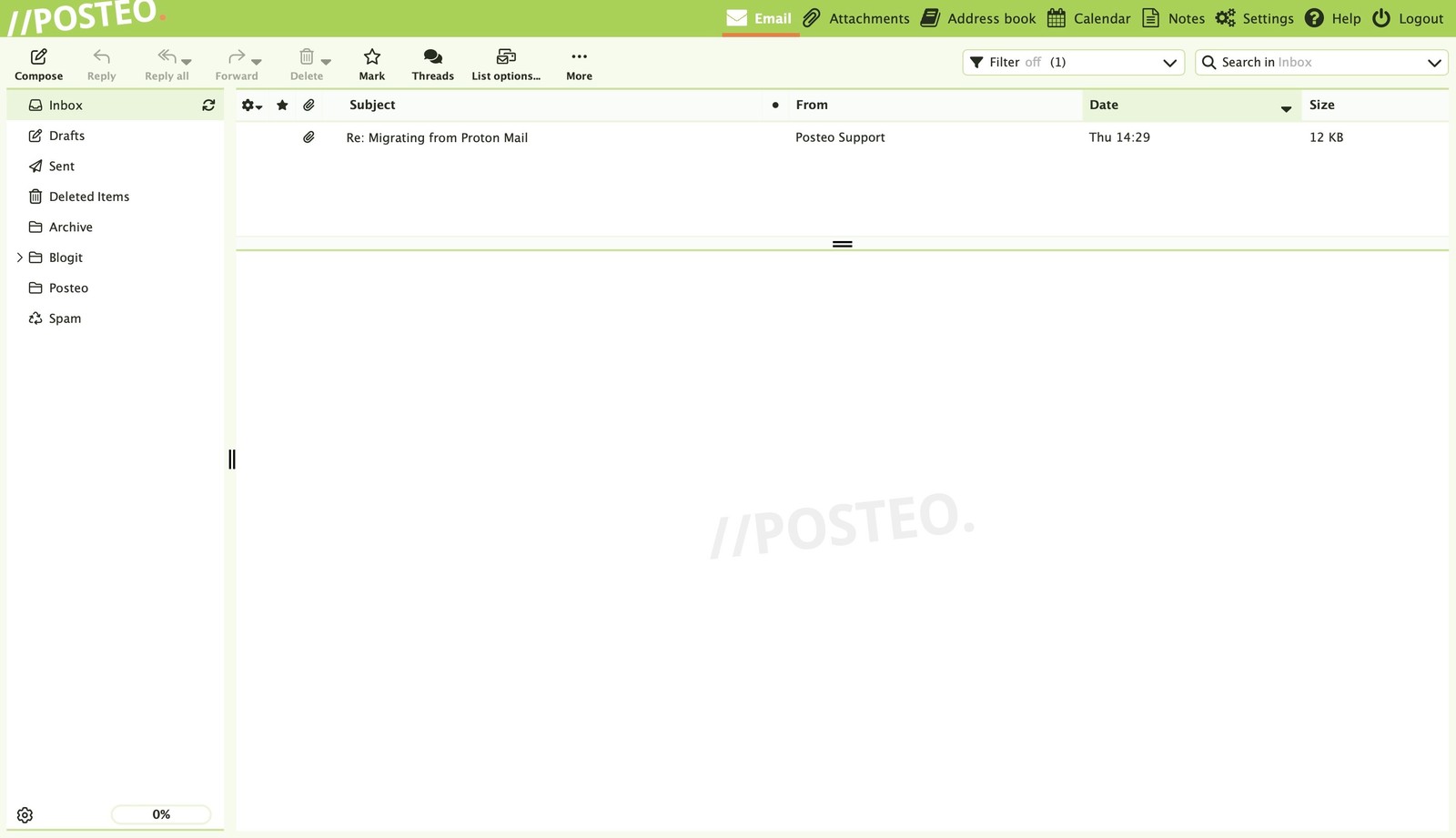
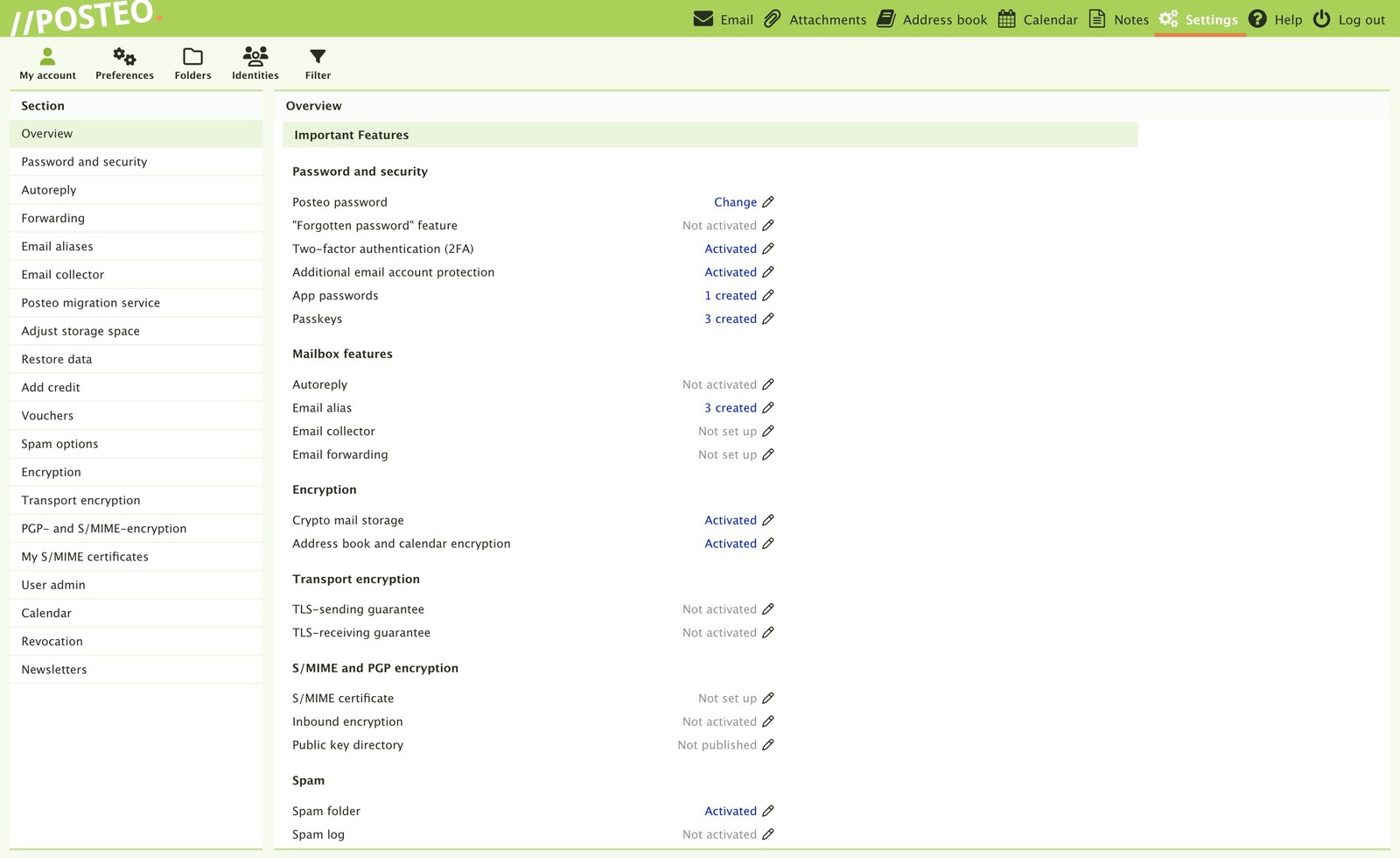
Posteo doesn’t have mobile apps, but since it supports both IMAP and POP3 protocols, you can use any email client you want. Just keep in mind that these protocols allow bypassing 2FA. Posteo has built a solution to disable email programs other than the web client, which would mitigate these concerns. It seems you can first configure the clients you need, and then enable this setting. This gives the convenience of alternative clients while maintaining the 2FA security.
Import
This one is interesting. While Posteo has a migration tool to export emails from other services, I couldn’t use it because I didn’t have access to Proton Mail Bridge, which is restricted to Proton Mail Plus and Unlimited plans.
I used Proton’s export tool instead, which let me export my emails as EML files. Importing these into Apple’s mail client wasn’t straightforward, so I’m currently doing that manually. I’m lucky there are only a few hundred emails to sort out. In reality, the number should be lower, but Proton’s export tool included emails that should have been deleted a long time ago.
Final reflections
Moving my email and calendar from Proton to Posteo has felt exciting, and I achieved a lot with this change. I get to support a smaller company whose values regarding privacy, sustainability, and ethics match mine. I’m less tied to Proton’s ecosystem and have access to features that with Proton would require the Mail Plus or Unlimited plan. Neither one is available to me since I have the Proton Pass family plan.
My experience with Posteo has reinforced my perception that sometimes the most popular software tools don’t fit the needs of everyone, and finding the option that suits you may require accepting imperfection. Since there’s no perfect software, the choice should reflect your needs. 🌔